Process
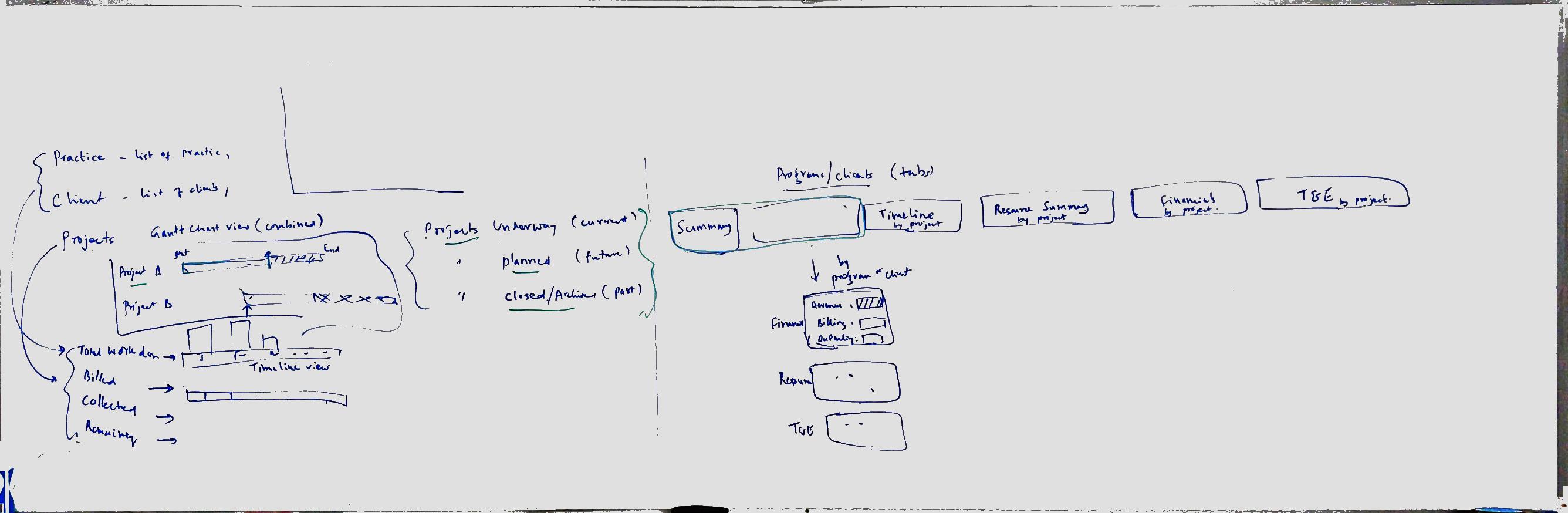
I wanted to create a dashboard that was not only visually striking, but most importantly useful and actionable. I started by white boarding some initial data we wanted to represent and the information architecture.
Design
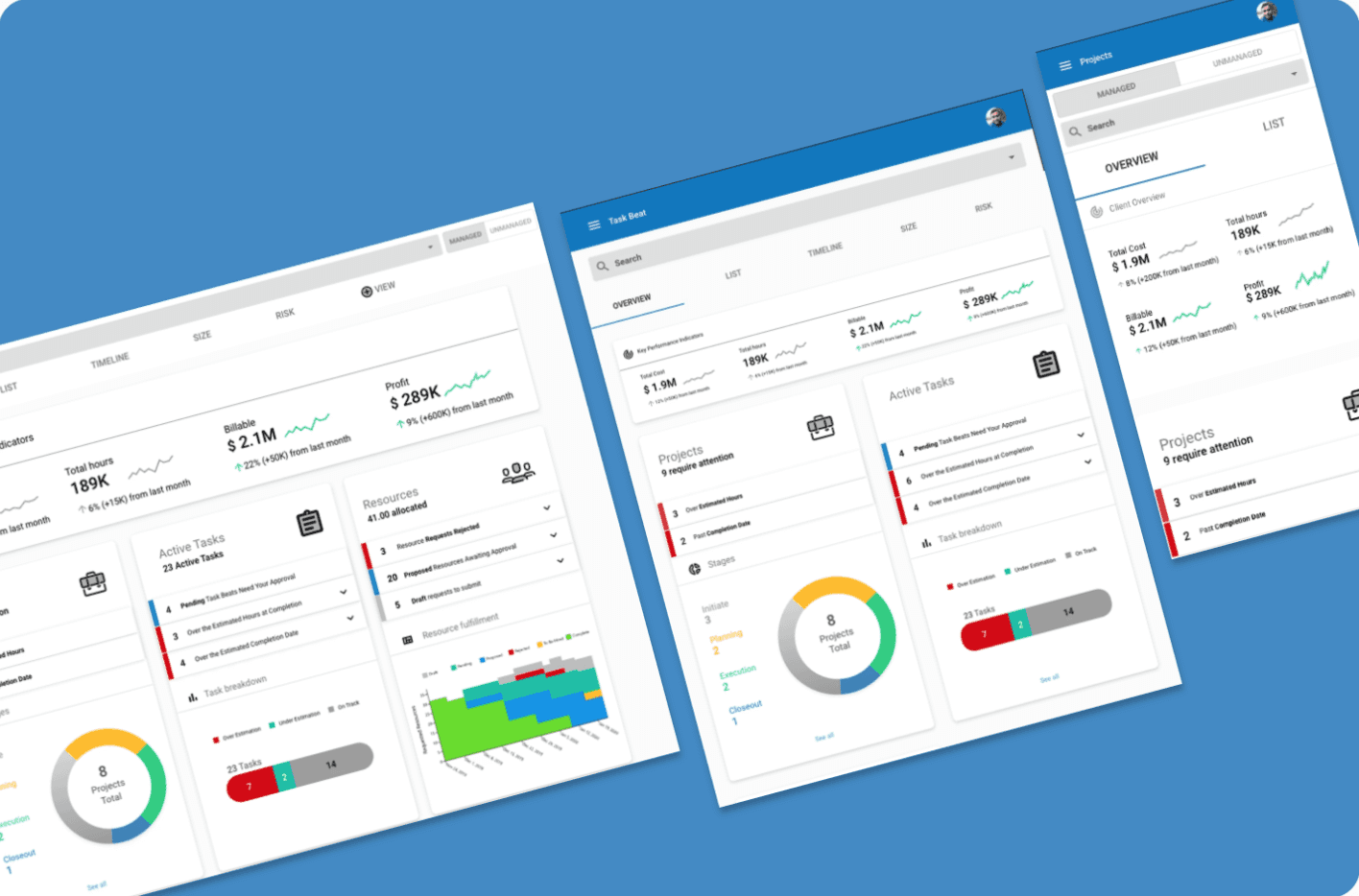
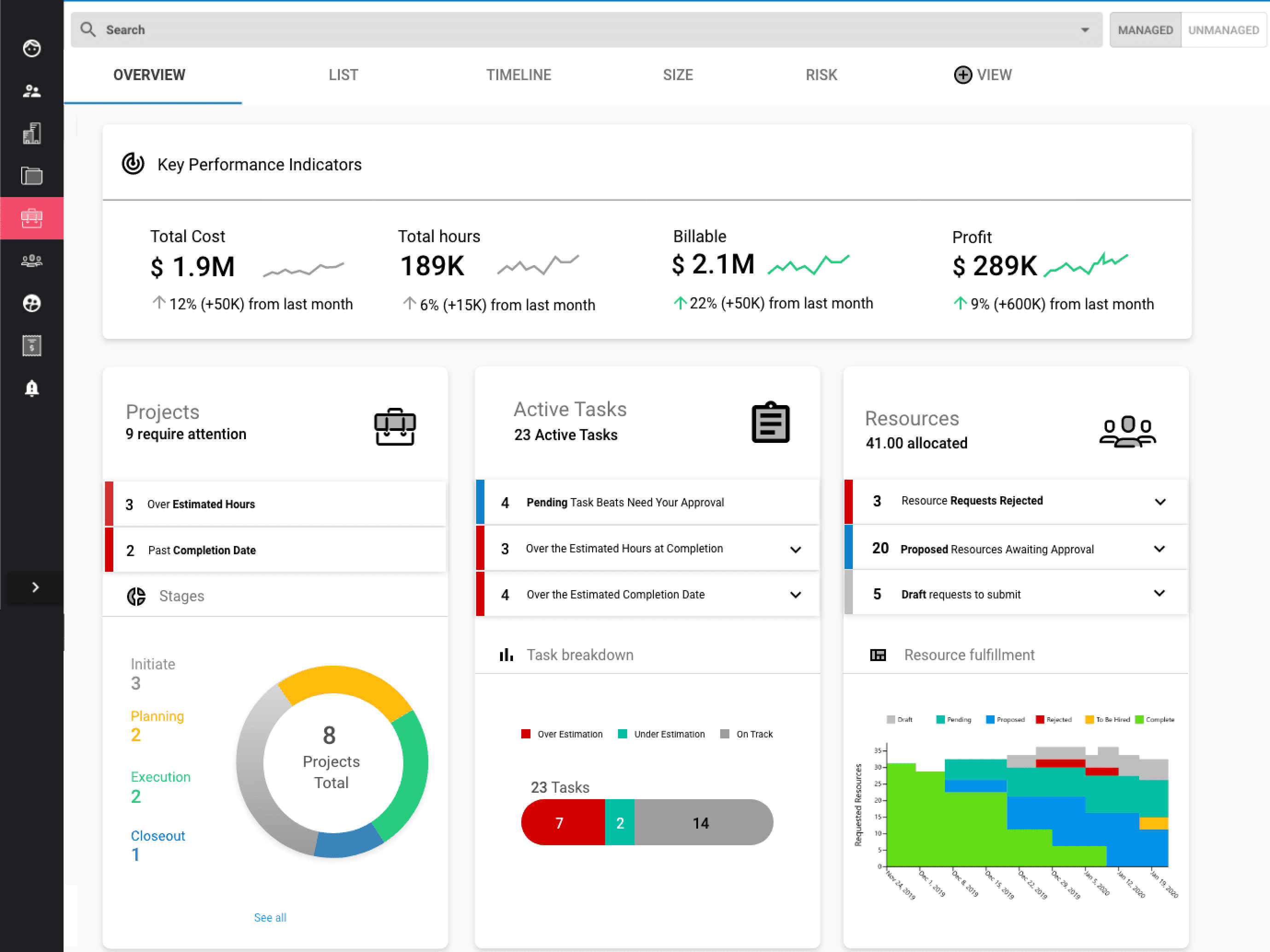
I wanted to identify what the most important parts of the project were that we could summarize, as well as a higher level summary because this was going to be the landing page for the project section. It needed to work with our existing data, and tie into different parts of the product as well.
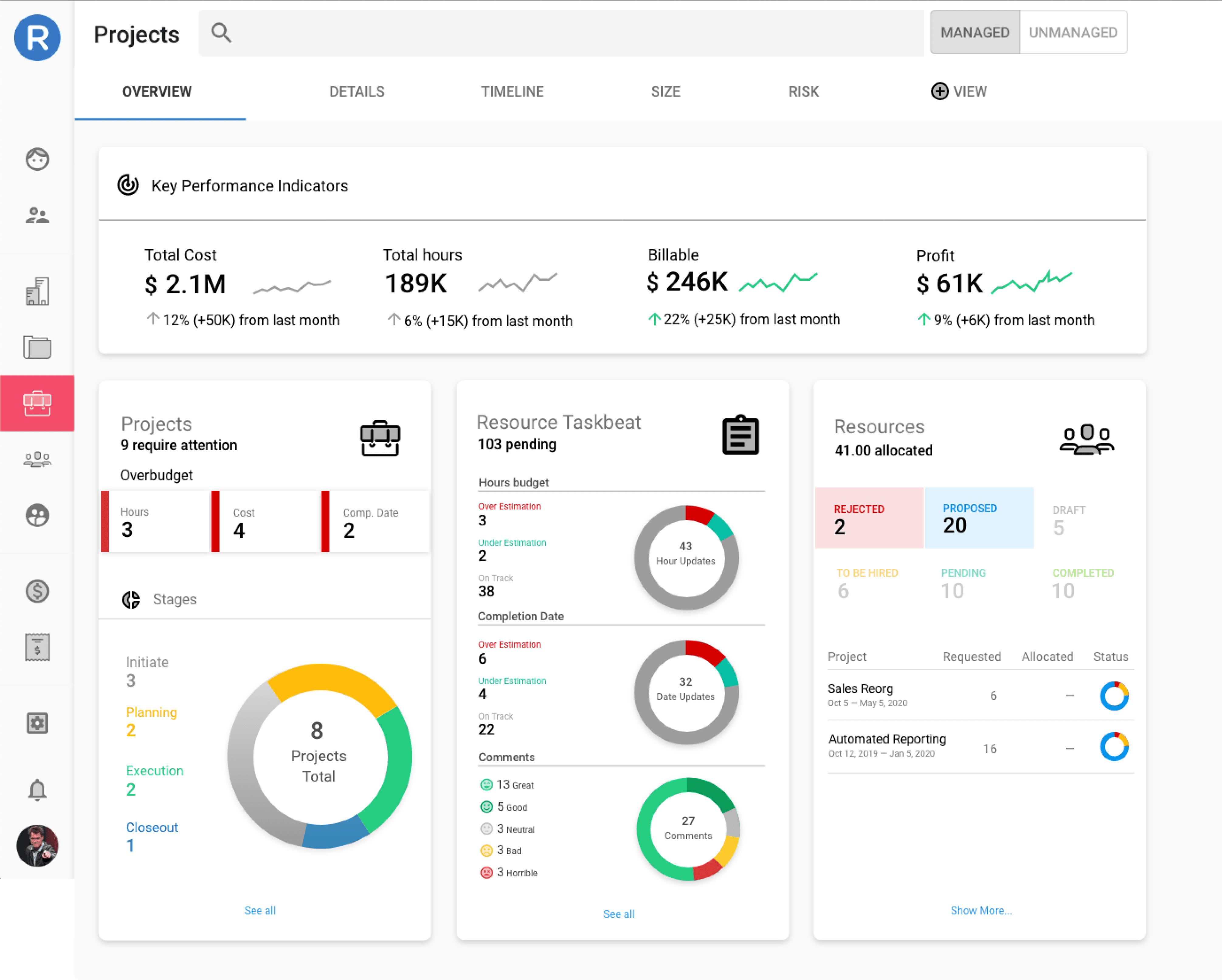
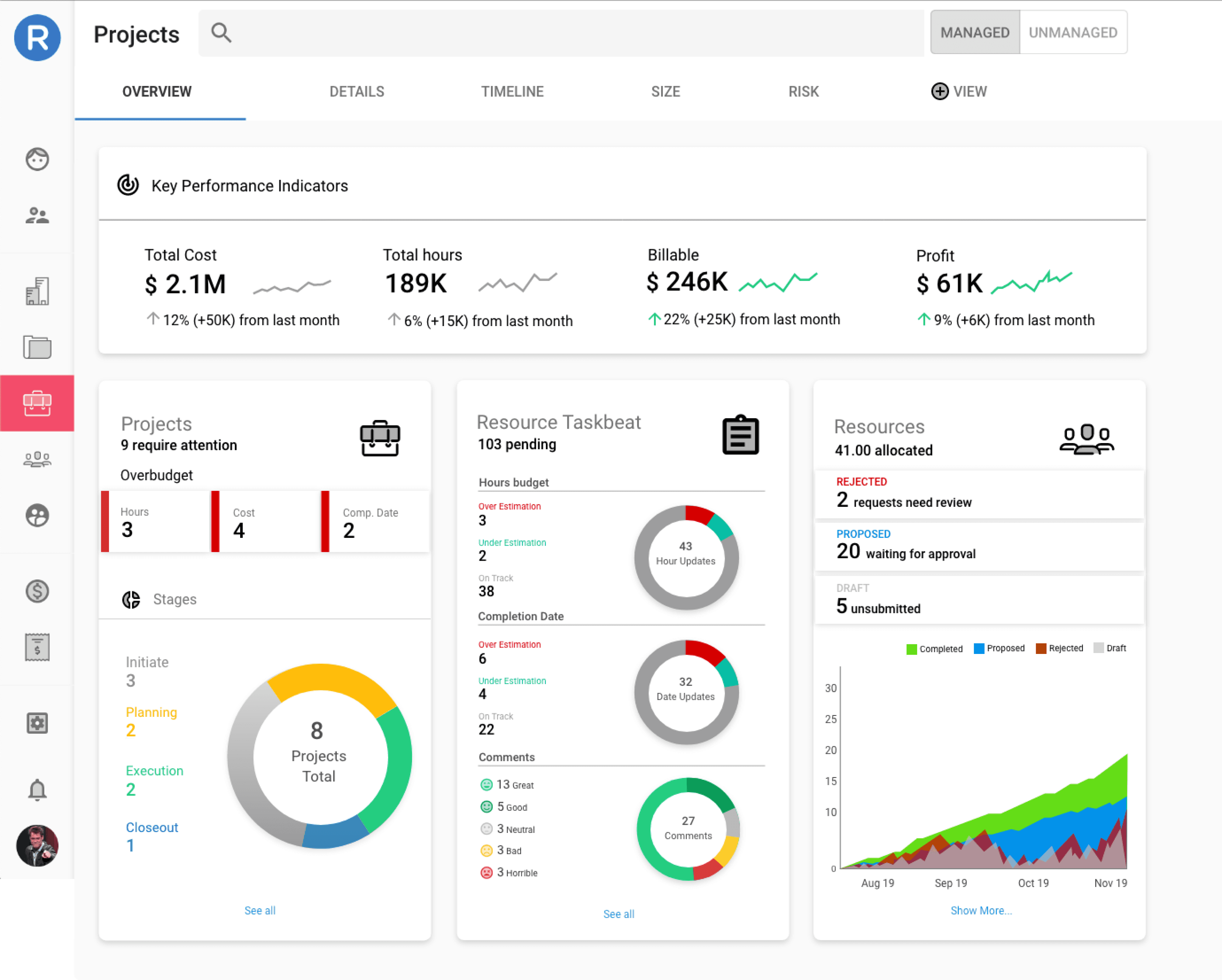
I decided to create 4 cards:
Key Performance Indicators
Projects (problems)
Tasks
Resources
Below are some of the initial concepts
Design Continued
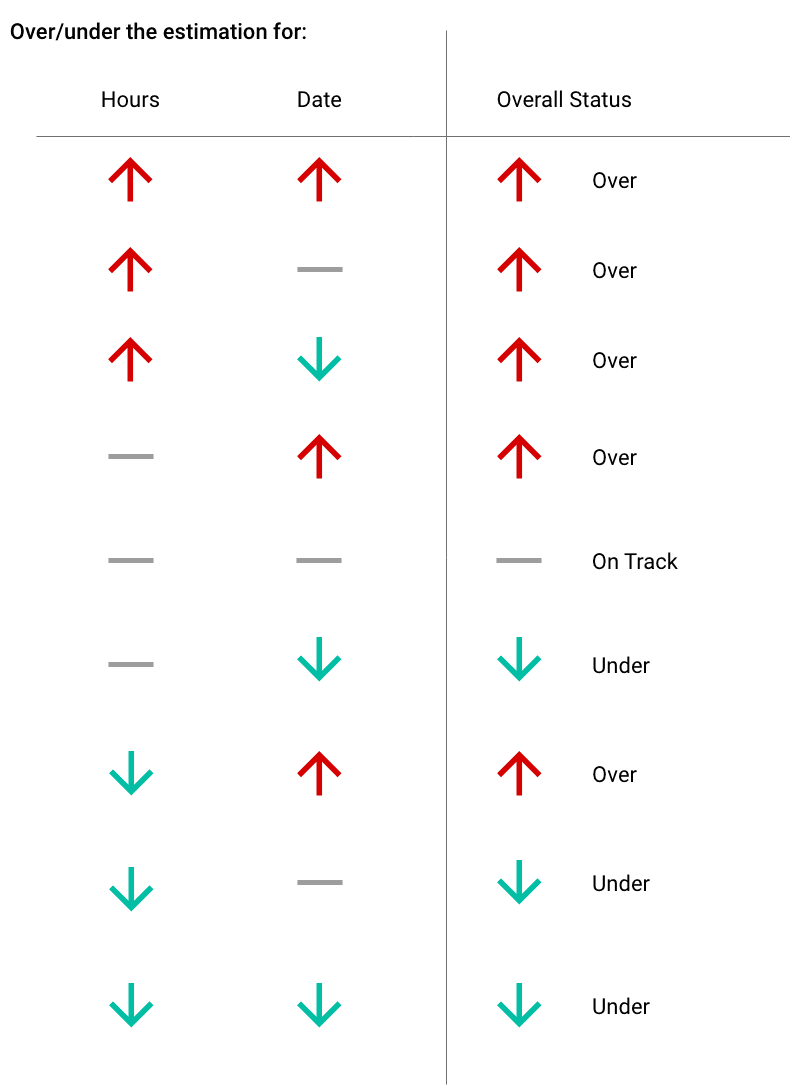
I wanted to add some trend lines and arrows to help the Project Manager understand their overall project health at a glance. Above is a table that helped decide when to use which arrow.
I also realized that there was too much data initially, to the point of overwhelming the user, so I simplified the cards in addition to adding a better variety of data visualizations.
Each card also had expandable sections at the top where problems were highlighted, and then it would navigate you to the correct page to investigate the problem further and fix them.
Conclusion
Creating this Project Overview helped sell our product by providing a visually appealing dashboard that was also actionable, and is still in the product today.